
Optical Zoom vs. Digital Zoom
What's the Difference and Why It Matters for PTZ Cameras
When a PTZ camera specification lists "20x zoom," that number alone does not tell the full story. Two cameras with the same zoom rating can deliver completely different image quality at full magnification — because the result depends on whether that zoom is achieved through optical lens movement or digital image processing.
This difference is especially important for PTZ cameras, which are typically installed in fixed positions where operators cannot physically move closer to the subject. In classrooms, houses of worship, auditoriums, and live production environments, the zoom system determines whether a distant subject remains sharp and broadcast-ready or becomes a pixelated image. Understanding optical zoom and digital zoom is therefore essential when selecting a PTZ camera for professional video production.
Optical Zoom vs. Digital Zoom:
What They Are and How They Work
Optical zoom magnifies a subject by physically moving the glass lens elements inside the lens barrel, changing the focal length. Digital zoom simulates magnification by cropping the center of the image the sensor has already captured and enlarging it to fill the frame.
That single distinction — one changes the optics, the other processes the existing image — determines everything about how each approach affects image quality.
OPTICAL ZOOM
Magnify with the Lens
Physically changes the focal length to bring distant subjects closer — without cropping the image.
DIGITAL ZOOM
Magnify with Processing
Crops and enlarges the captured image, which can reduce effective detail.
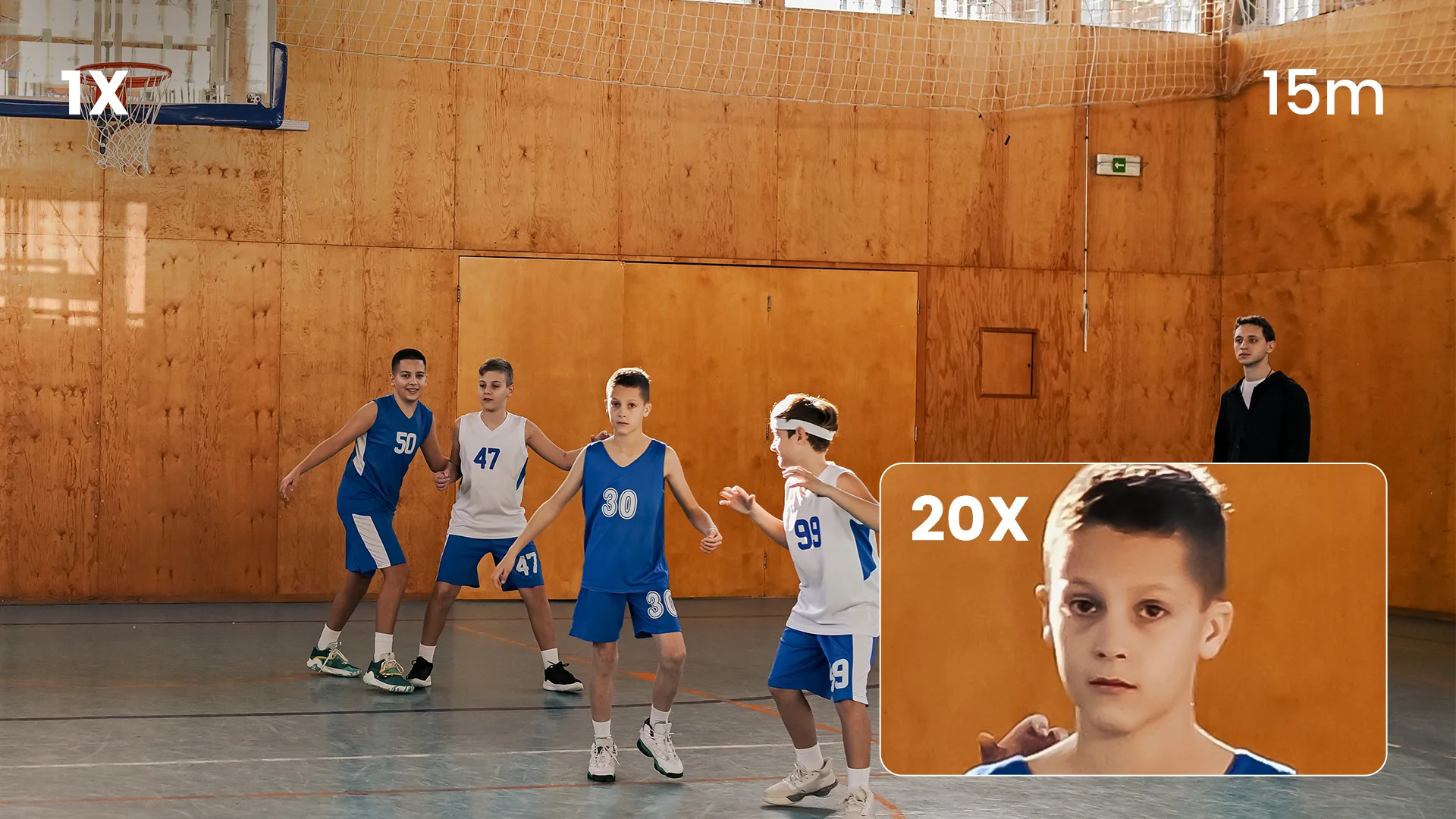
Optical Zoom: The Lens Does the Work
When a PTZ camera zooms in optically, the lens elements shift position to focus light from a narrower field of view onto the full sensor surface. The sensor receives a genuinely magnified optical image. Every pixel is capturing real detail from the scene at the new focal length.
Think of it like a telescope. The image is sharp not because a processor sharpened it, but because glass optics redirected the light. The same principle applies here — at 5x, 10x, or 20x optical zoom, the sensor is always working with a full, optically-formed image. Image quality doesn't change as you zoom in because the sensor is always using all of its pixels to record real captured detail.
Digital Zoom: The Processor Does the Work
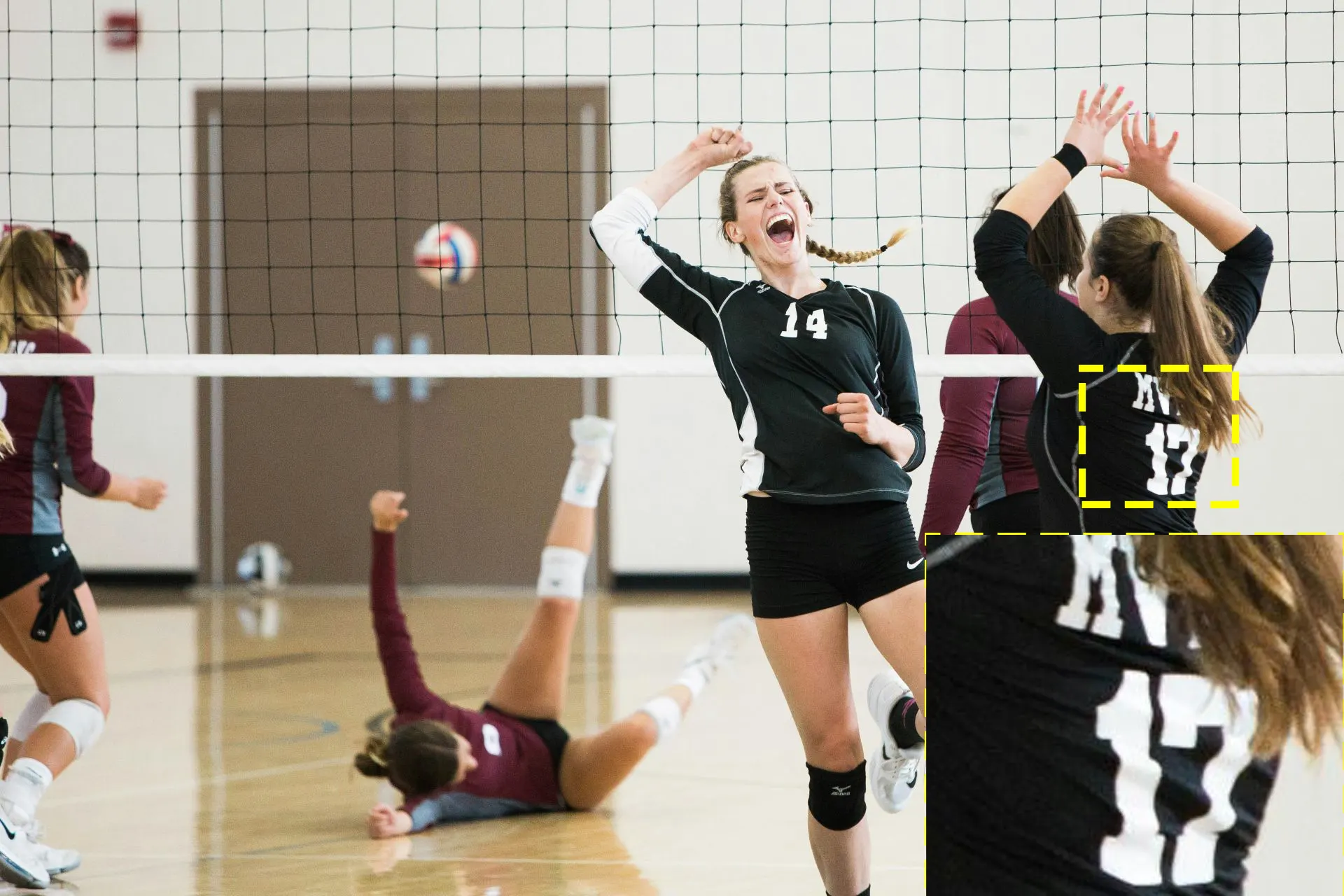
Digital zoom doesn't move any glass. The lens stays exactly where it is, and the sensor continues to see the same field of view. What changes is how much of that captured image is used: the camera crops the center portion and enlarges it to fill the frame — discarding the outer pixels and using interpolation to fill the gaps.
The result is the familiar degradation of pinching to zoom on a smartphone photo. You're not adding detail that wasn't there. You're spreading existing pixels across a larger area. At 2x digital zoom, roughly one quarter of the sensor's real pixel data is being used to produce the full output. At 4x, approximately one sixteenth. The rest is interpolation — the processor's estimate of what detail should be there — which is why the image becomes progressively softer, loses fine edge detail, and shows visible pixelation at higher magnification levels.
The One Exception: Lossless Digital Cropping
There is a specific scenario where digital cropping produces no meaningful quality loss — and it's worth understanding because it appears in high-end PTZ specifications in different forms.
The principle relies on resolution headroom. A 4K sensor captures approximately 8.3 megapixels of image data. When a camera outputs at 1080p — which requires only 2.1 megapixels — there is enough real pixel data remaining after a 1.5x or 2x digital crop to produce a full-quality 1080p output. The detail that would be lost in a standard digital zoom situation simply doesn't disappear here, because the sensor had far more resolution than the output needed in the first place.
Some cameras implement this as a zoom extension feature — the optical zoom reaches its limit, and lossless digital cropping adds additional reach without visible degradation. Others implement it as a simultaneous dual-output: one full 4K wide shot and one cropped 1080p close-up, both generated from the same sensor at the same time.
Telycam's Explore takes the latter approach. While capturing a full 4K60 scene, it simultaneously generates a separate cropped 1080p or 720p feed — effectively giving a single camera the ability to produce both a wide establishing shot and a tight close-up without any additional zoom hardware. The cropping position is adjustable through the Telycam WebUI, allowing the operator to reframe the close-up output independently of the main 4K feed.
This is only possible because the 4K sensor has enough native resolution to support the cropped output at full 1080p quality. On a 1080p sensor, the same crop would produce a degraded image — regardless of what the feature is called in the specification sheet.
Optical Zoom, Digital Zoom, and Hybrid Zoom Explained
Many PTZ cameras combine optical and digital zoom. The camera uses optical zoom first and, once the lens reaches its maximum focal length, may continue with digital zoom to extend the apparent magnification. This is commonly referred to as hybrid zoom.The important point is that the two stages don't provide the same image quality.
How Hybrid Zoom Works
A camera with 20x optical zoom and 10x digital zoom can be advertised as having 200x total zoom:
But this doesn't mean the camera can deliver a 200x close-up with optical-level detail. The first 20x comes from the lens. Beyond that point, digital processing takes over, and image quality progressively decreases as the image is cropped and enlarged.
The Number That Matters
This is why optical zoom is the most important zoom specification for professional PTZ cameras.
A camera advertised with "200x zoom" may sound more powerful than a 20x optical camera, but if most of that figure comes from digital zoom, the difference is mainly in how far the camera is willing to enlarge the image — not how much real optical detail it can capture.
For live production, broadcast, and large-screen applications, look at the optical zoom figure first. Treat digital and total zoom as secondary specifications that describe how far the camera can extend beyond its optical range.
Why Optical Zoom Matters More for PTZ Cameras
Optical zoom matters on every camera, but it becomes especially important on PTZ cameras because the camera usually has a fixed installation position. Once a PTZ camera is mounted at the back of a church, auditorium, classroom, or sports venue, the operator cannot simply move closer to the subject when a tighter shot is needed.
That makes the lens the primary tool for controlling framing at distance. A camera may have excellent image quality at wide angle, but if its optical reach is insufficient, the subject will still appear too small in the final shot. Digital zoom can enlarge the image, but as discussed earlier, it does so by sacrificing captured detail.
For professional PTZ applications, the more useful question isn't "How much total zoom does the camera have?" It's "How much optical reach do I actually need for my installation distance and shot type?"
Distance Is the Starting Point — Not the Only Factor
Installation distance provides a useful starting point for selecting optical zoom, but it shouldn't be treated as a fixed formula.
A presenter 20 meters away may require a very different lens than a wide shot of an entire stage at the same distance. Similarly, a camera producing a 4K master has different cropping flexibility from one delivering a tightly framed 1080p feed.
As a practical starting point:
These ranges are guidelines rather than hard specifications. The required zoom also depends on sensor size, lens focal length, field of view, camera mounting position, and how tightly the subject needs to be framed.
Think in Terms of Framing, Not Just Magnification
This is an important distinction when evaluating PTZ cameras.
A 20x lens doesn't automatically mean that every 20x camera will produce the same framing. Optical zoom is a ratio between the lens's widest and narrowest focal lengths, so the actual field of view at the telephoto end depends on the lens design and sensor size.
For example, two cameras may both offer 20x optical zoom, but one may start at a wider field of view while the other reaches a narrower telephoto angle. In practice, that means one camera may be better suited to covering an entire stage while the other may be better at producing a tight shot of a presenter from the rear of the room.
For this reason, optical zoom should be evaluated together with sensor size, focal length, and field of view—not as an isolated number.
Why This Matters in Live Production
The difference becomes particularly obvious during live production.
A wide shot can hide small losses in detail. A close-up cannot.
When a PTZ camera is used to frame a speaker's face, a performer on stage, or an athlete across a venue, fine details become much more visible. Soft edges, lost facial detail, and digital artifacts that might go unnoticed in a preview monitor can become obvious when the feed is displayed on a large LED wall or included in a broadcast program.
This is why professional PTZ systems tend to prioritize usable optical reach over impressive total-zoom numbers. Once the lens reaches its optical limit, additional digital magnification may still be useful for monitoring or non-critical applications, but it shouldn't be confused with additional optical resolving power.
The farther the camera is from the subject—and the tighter the required framing—the more important optical zoom becomes.
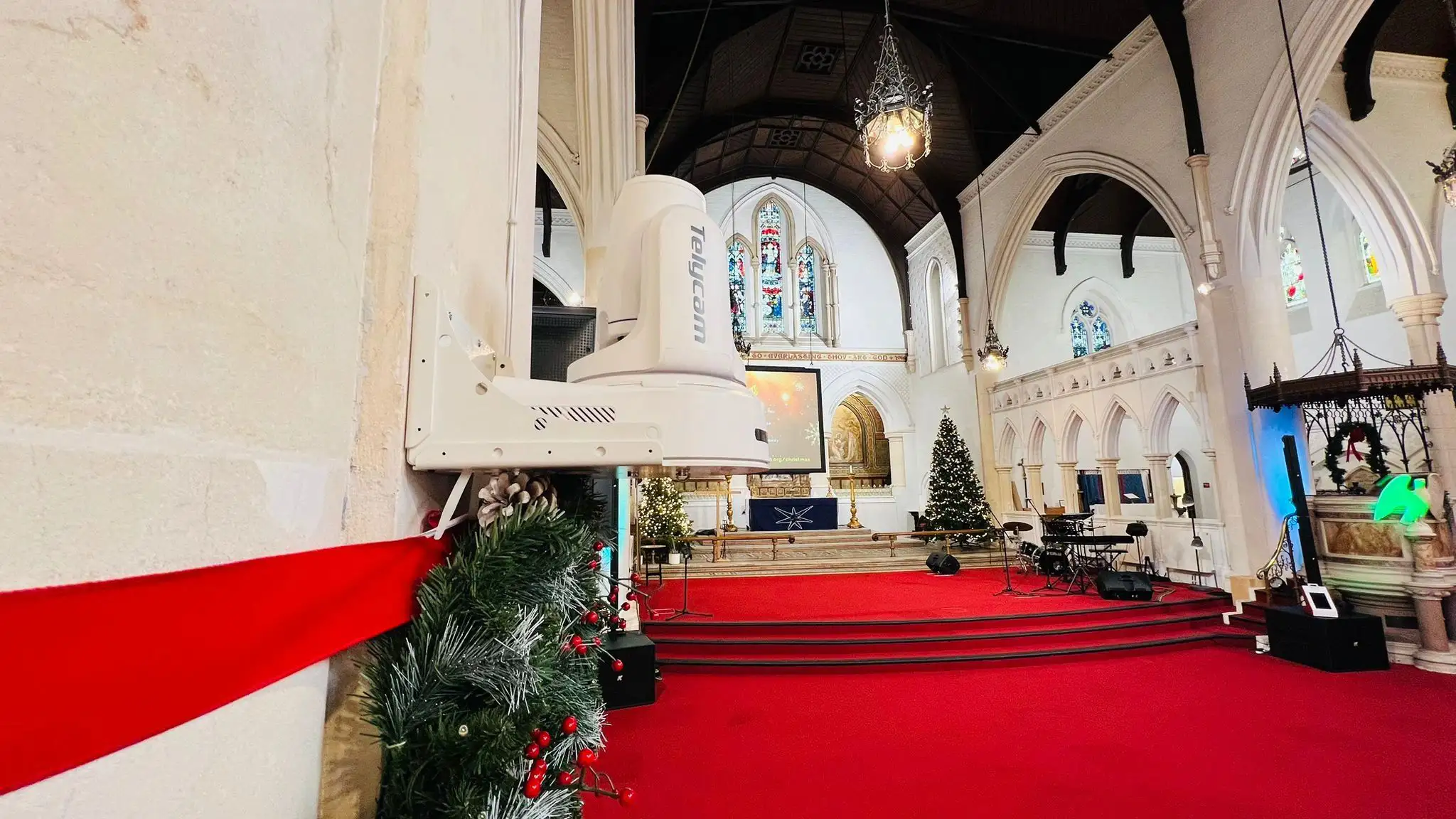
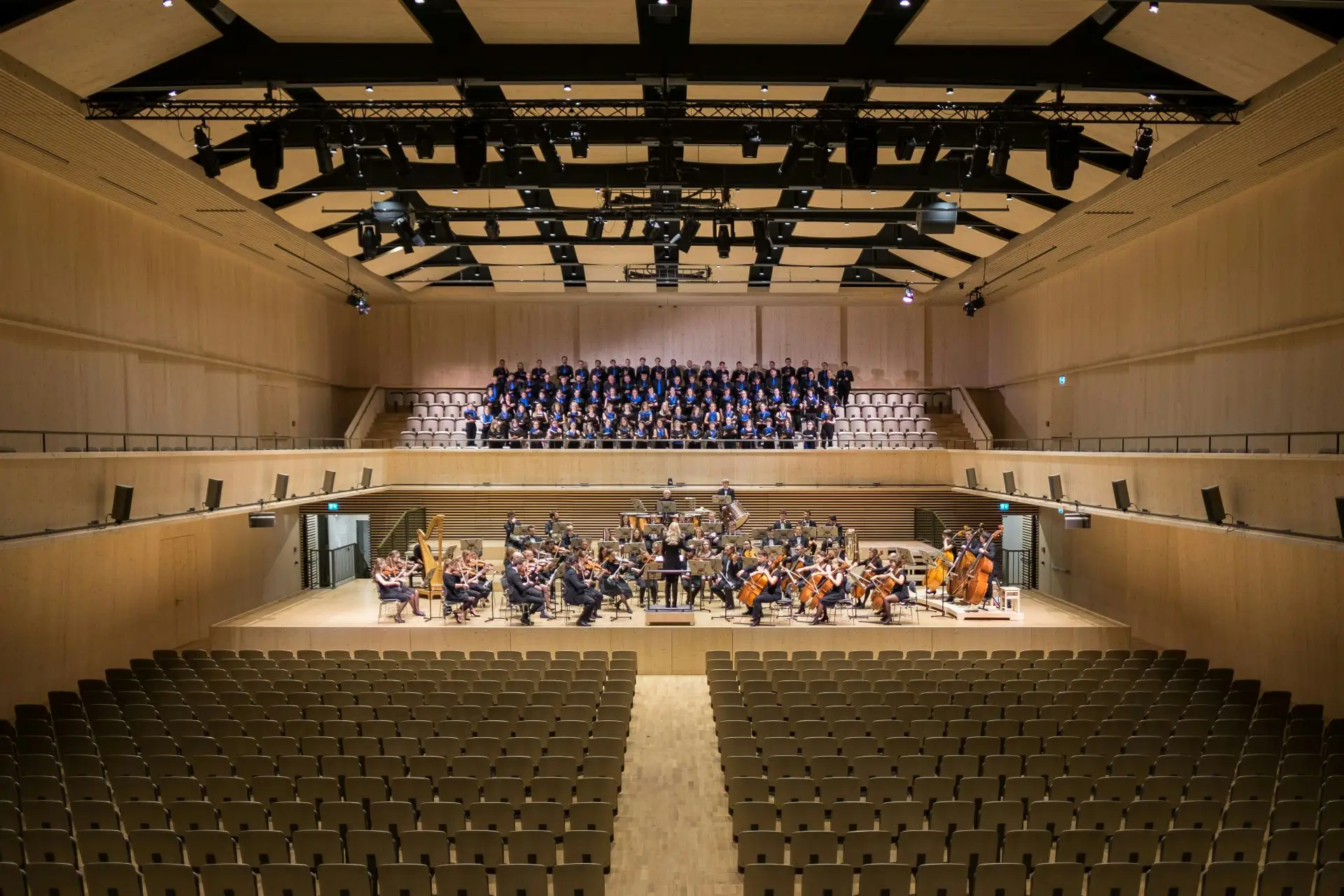
For a small conference room, 10x optical zoom may provide plenty of reach. For a 25-meter worship space, 20x or 30x may be much more appropriate. For a large auditorium or sports venue, a 30x-class optical lens can provide the additional reach needed for tight shots without relying on aggressive digital cropping.
In other words, don't choose a PTZ camera because its specification sheet says "100x" or "200x zoom." Choose it because its optical system can produce the framing and image quality your production actually requires.
Real-World Scenarios:
Choosing the Right Optical Zoom
The right optical zoom depends less on the camera's advertised maximum and more on where the camera is installed and what you need it to capture.
A camera covering a small meeting room may never need more than 10x optical zoom, while a camera mounted at the back of a large auditorium may need 20x or 30x to produce the same type of close-up. The goal isn't to choose the highest zoom number available. It's to choose enough optical reach to achieve your required framing without relying heavily on digital magnification.
Here are some common PTZ deployment scenarios and the zoom ranges that typically make sense.

When Is Digital Zoom Acceptable?
Digital zoom isn't inherently useless. It can be practical when only modest additional magnification is needed or when the image is being used for monitoring rather than final production.
It can work well for:
• Monitoring distant areas
• Confirming whether a person or object is in position
• Non-broadcast observation
• Minor framing adjustments after optical zoom reaches its limit
For live broadcasts, recorded programs, and large-screen presentations, however, the required framing should ideally be achieved within the camera's optical zoom range.
The key is to match the zoom capability to the installation. A 10x PTZ camera may be more than enough for a small meeting room, but inadequate for a camera positioned 30 meters from a stage. When choosing a camera, consider the camera-to-subject distance, required framing, sensor size, and output resolution rather than the headline total-zoom number.
Use optical zoom to get the shot. Use digital zoom only when the application can tolerate the trade-off.
FAQ
Conclusion
Optical zoom and digital zoom may share the same “zoom” label, but they work in fundamentally different ways. Optical zoom uses the lens to bring a subject closer, while digital zoom crops and enlarges an image that has already been captured. For professional production, that difference matters.
For PTZ cameras, optical zoom is especially important because the camera is usually installed at a fixed position. When the subject is far away, the camera needs enough optical reach to produce the required framing without relying heavily on digital magnification.
The practical rule is simple: when choosing a PTZ camera, prioritize optical zoom over total zoom. A 20x optical camera can be a more useful production tool than a camera advertising 200x total zoom if most of that extra reach comes from digital processing.
For long-distance installations, Telycam Explore offers 20x optical zoom, while Explore SE offers 30x optical zoom, giving you more reach without relying on digital zoom for critical shots.
Need to find out which zoom range fits your installation? Use our Optical Zoom Calculator to estimate the coverage and framing at your specific camera-to-subject distance.